
Skip to content
BookDeep

EPUB reader for Android

Your Books.
Your Quiet Space.

A beautifully simple EPUB reader designed around the way you love to read.

Made for Android · No subscription · No ads

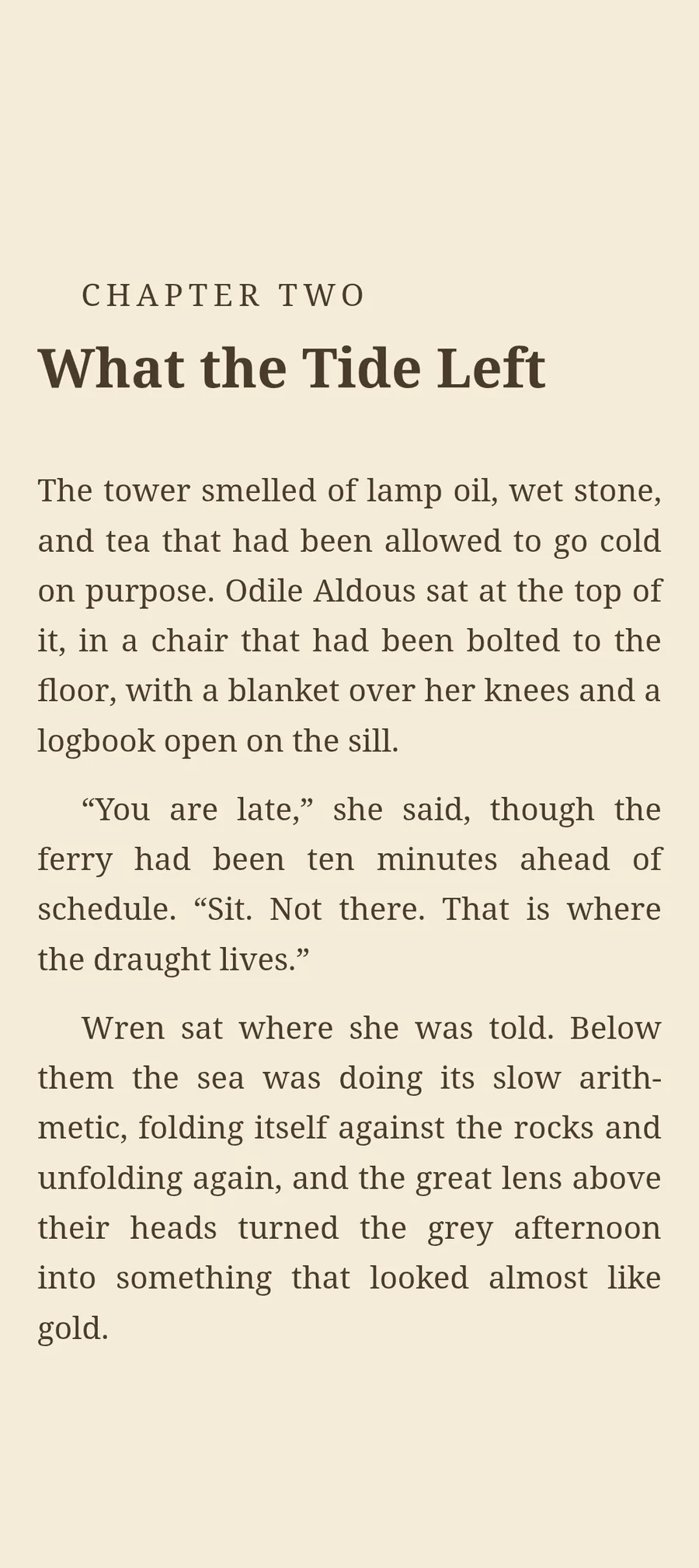
BookDeep on the sepia theme, showing the start of a chapter
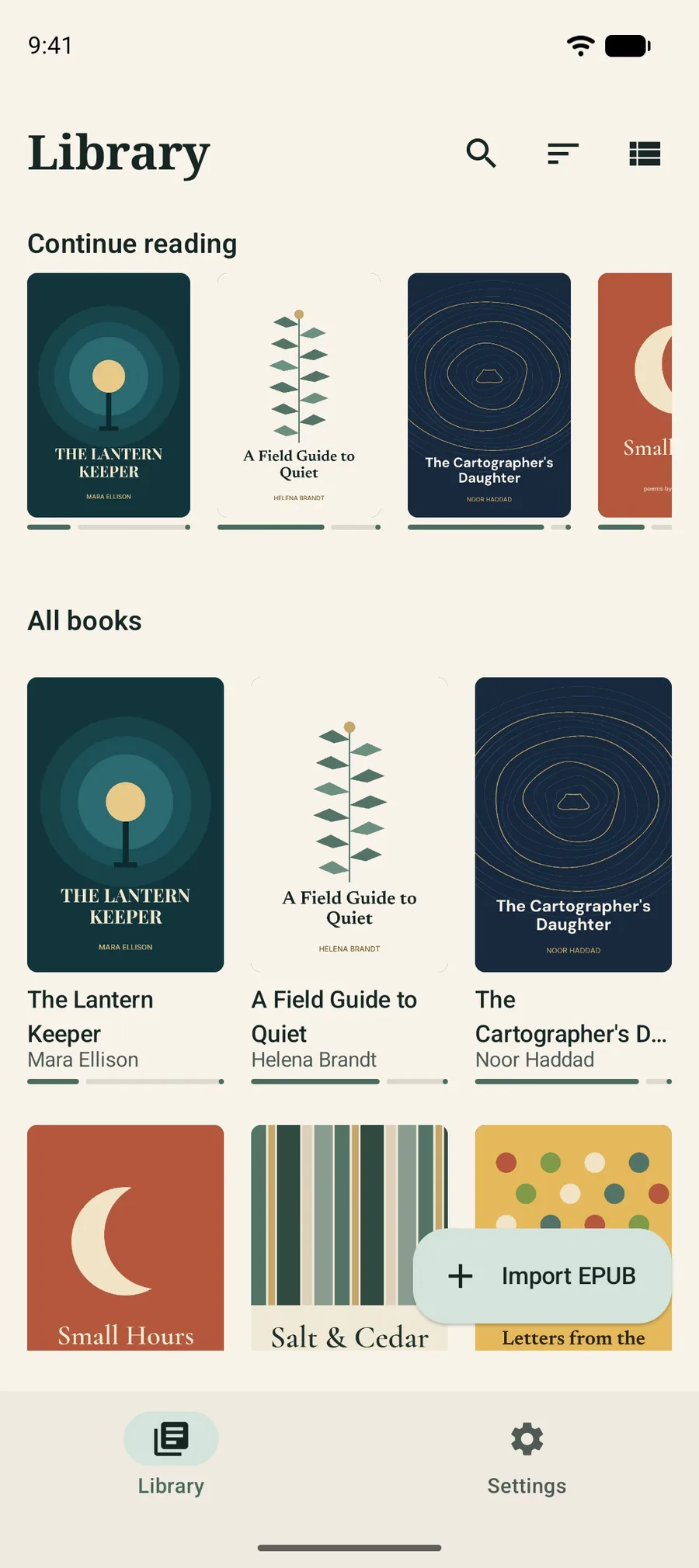
BookDeep library with a Continue reading row and a grid of book covers

A closer look

Real screens, straight from the app.

No mock-ups: these are captures of BookDeep running on Android.

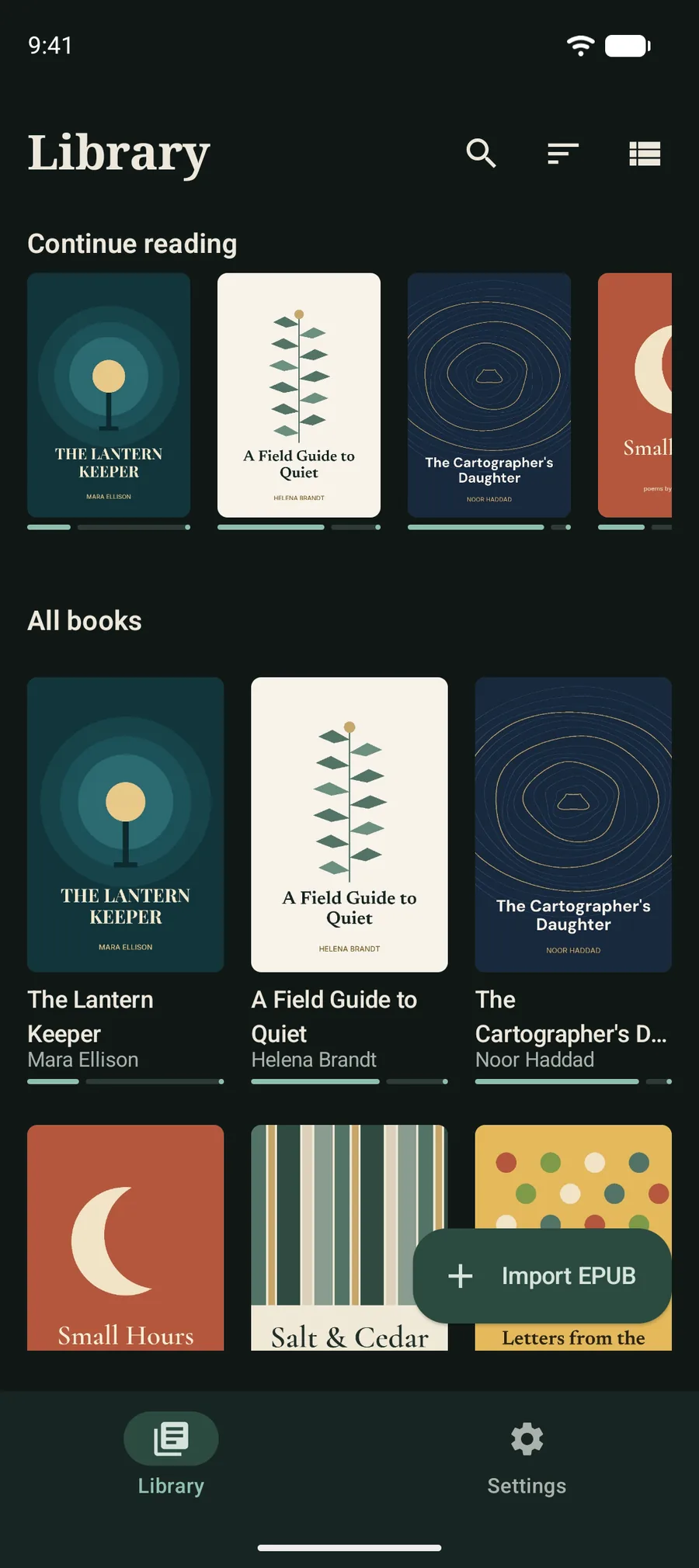
  • BookDeep library showing a Continue reading row and a grid of book covers with progress bars

    Library

    Pick up where you left off

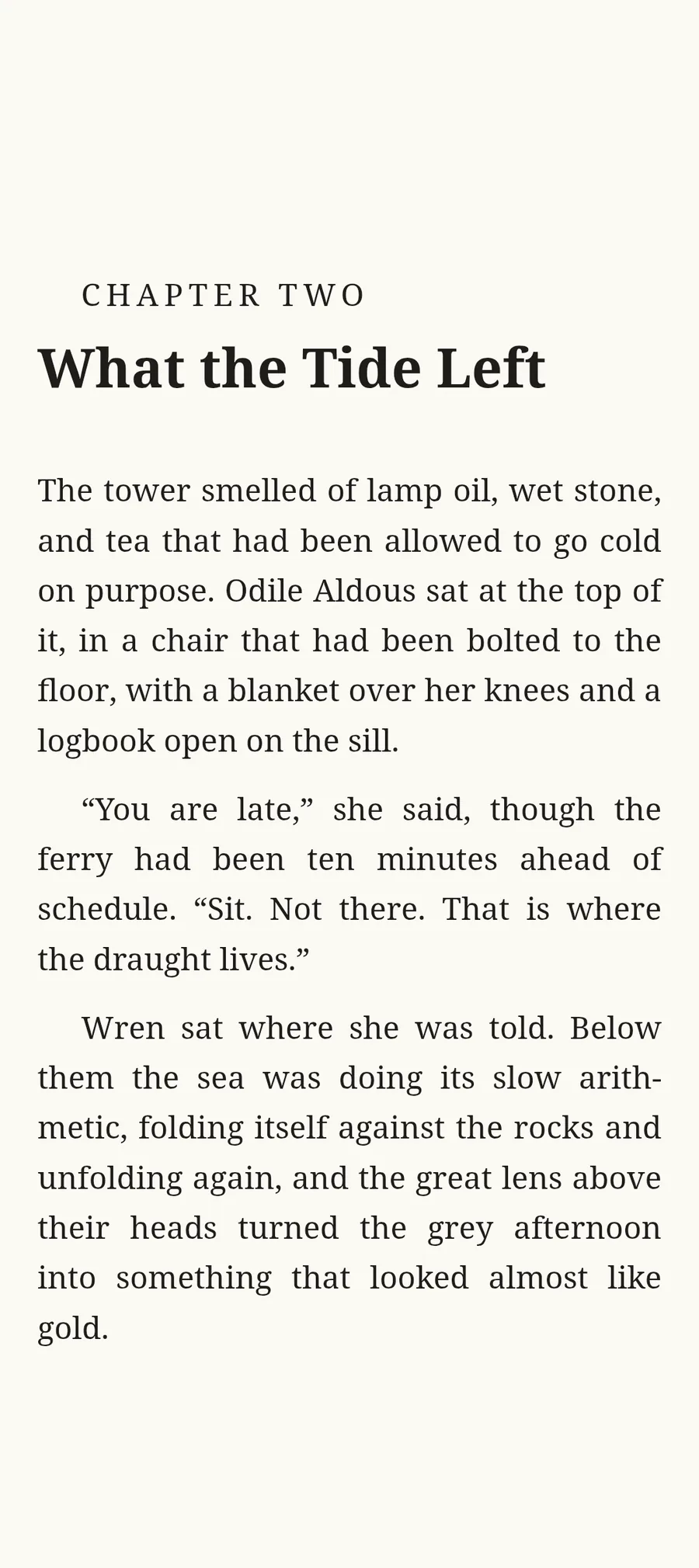
  • BookDeep reading view with a chapter heading and typeset body text on a light page

    Reading

    Words first, controls hidden

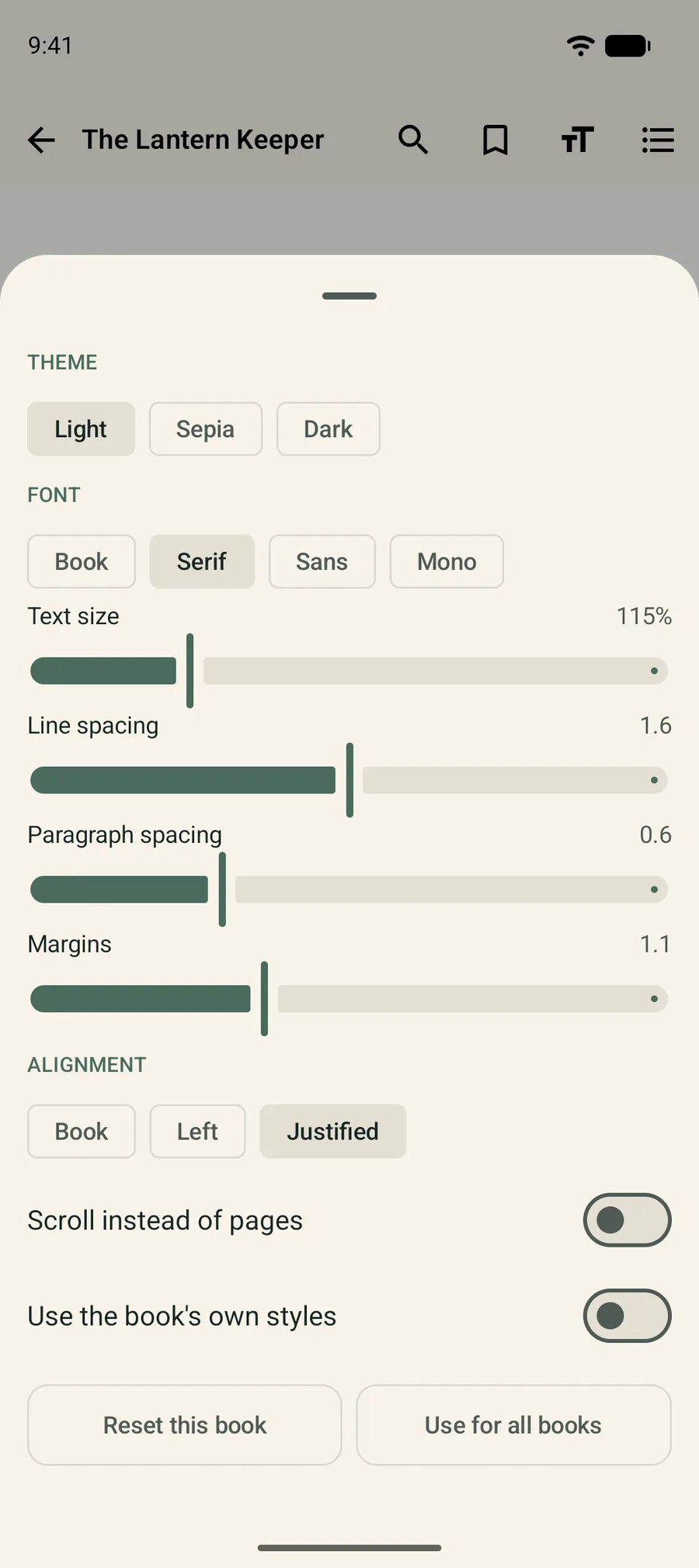
  • Reading appearance sheet with theme, font, text size, line spacing, paragraph spacing, margins and alignment controls

    Appearance

    Typography, your way

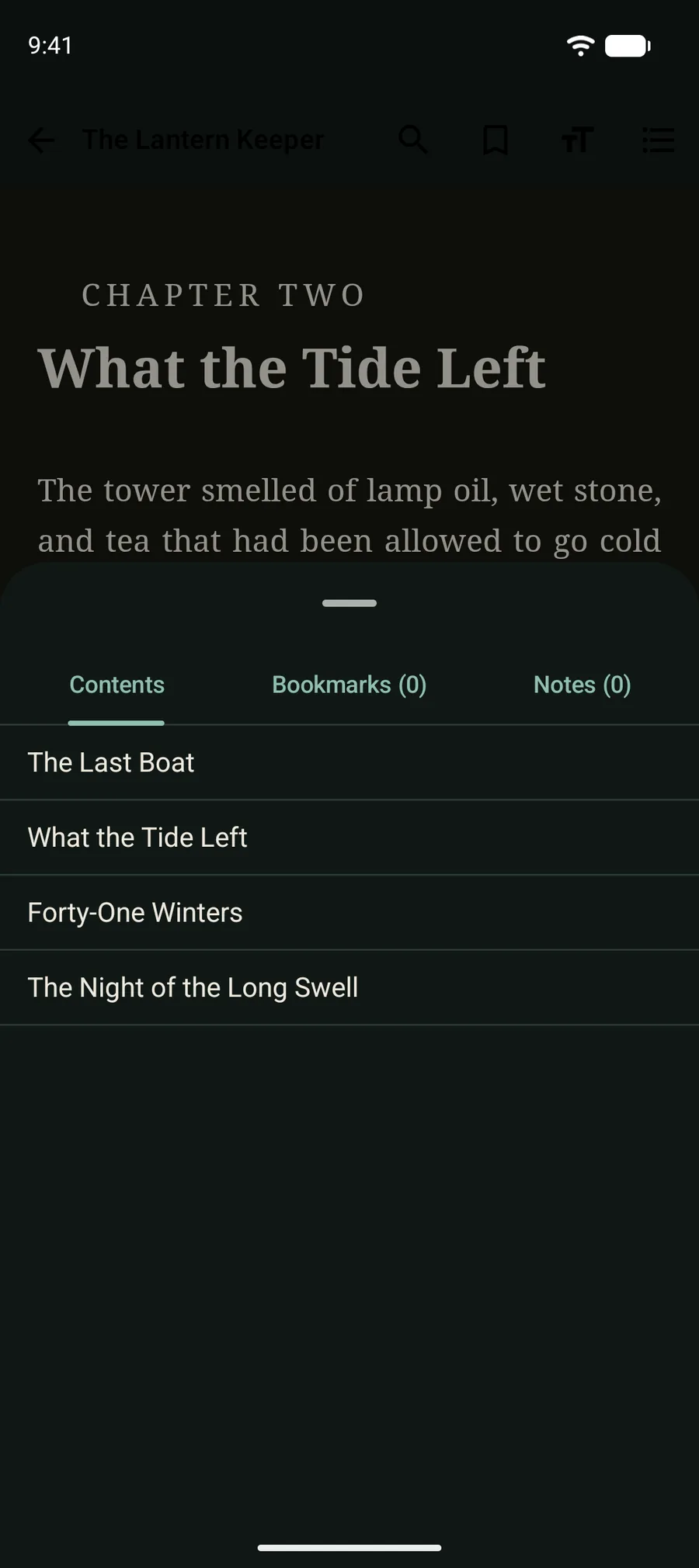
  • Table of contents sheet listing the chapters of a book

    Contents

    Jump between chapters

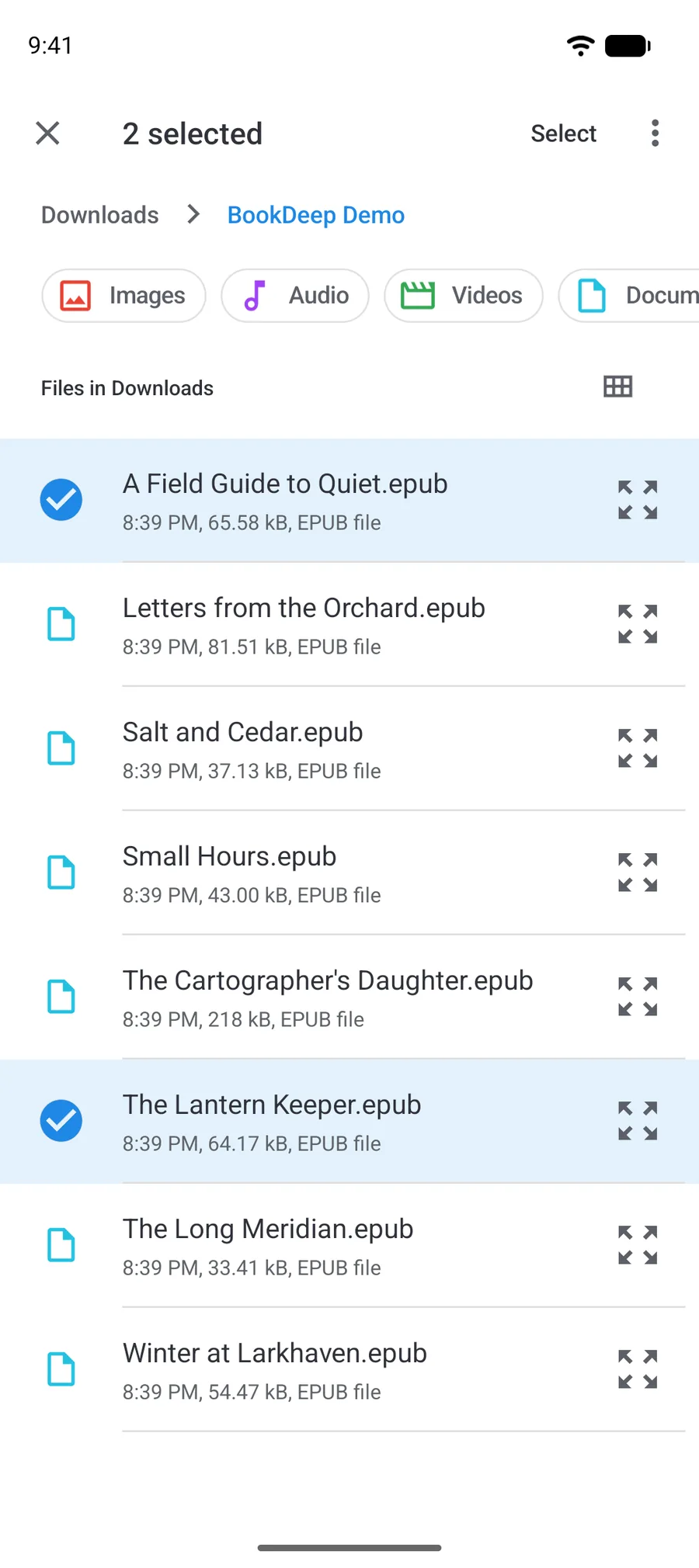
  • Android file picker showing several EPUB files with two selected for import

    Import

    Bring your own EPUBs

Reading experience

A Reading Experience That Feels Right

Make the page feel more like yours with the reading controls available in BookDeep. Changes apply to the book you’re reading, and you can save them as your default.

  • Light, sepia or dark page
  • The book's own font, serif, sans or monospace
  • Text size
  • Line spacing
  • Paragraph spacing
  • Page margins
  • Text alignment
  • Paged or continuous scroll
BookDeep on the sepia theme
The reading appearance sheet with theme, font, size, spacing, margin and alignment controls
The BookDeep library on the dark theme
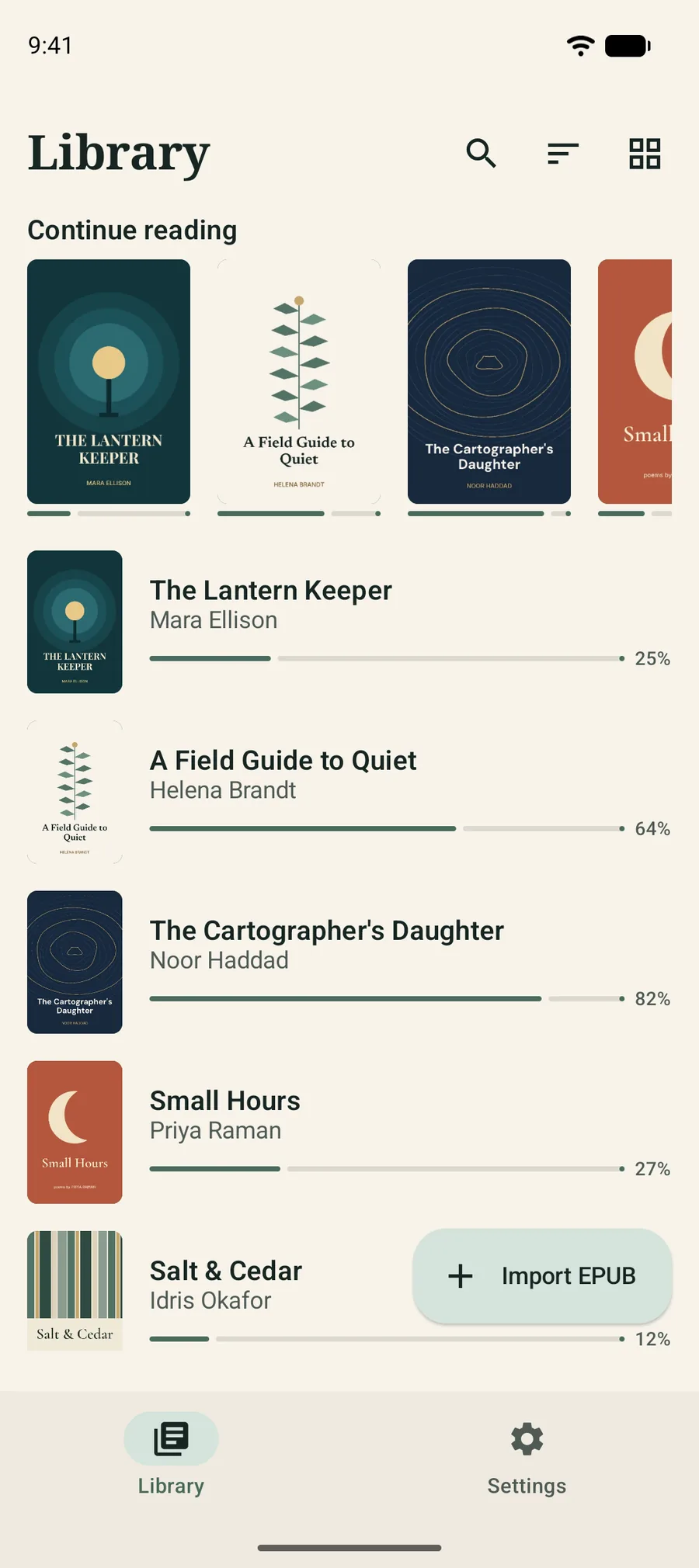
The BookDeep library as a list with covers, authors and reading progress

Your library

Your Library, Your Way

Keep your EPUB collection close and return to the books you love.

  1. Bring books inImport from anywhere on your device, or open an .epub from another app.
  2. Find them fastSearch by title or author. Sort by recently opened, recently added, title or author.
  3. Pick up in one tapA Continue reading row and progress bars show where you left off.

Made for focus

Made for Focus

A considered reading interface that puts the words first.

Open a book and the controls get out of the way. Tap the middle of the page when you want them back.

A distraction-free reading page with only the chapter heading and text on screen

Offline-first

Read on Your Terms

Enjoy locally stored books without depending on a constant internet connection.

Works in airplane mode

Imported books open straight from your device. Nothing needs to load from a server.

Files stay where you keep them

BookDeep reads your EPUBs in place. Removing a book from the app never deletes the file.

Nothing to sign up for

No account, no sign-in, no onboarding funnel. Just your books.

Reading experience

Find Your Perfect Reading Mood

Light for the day, sepia for the evening, dark for the small hours. Choose the theme that feels right.

Chapter Two

What the Tide Left

The tower smelled of lamp oil, wet stone, and tea that had been allowed to go cold on purpose. Odile Aldous sat at the top of it, in a chair that had been bolted to the floor, with a blanket over her knees and a logbook open on the sill.

“You are late,” she said, though the ferry had been ten minutes ahead of schedule. “Sit. Not there. That is where the draught lives.”

Wren sat where she was told. Below them the sea was doing its slow arithmetic, folding itself against the rocks and unfolding again, and the great lens above their heads turned the grey afternoon into something that looked almost like gold.

Sample text from “The Lantern Keeper”, an original demo story written for BookDeep.

BookDeep on the light theme

Light theme, captured in the app

Privacy

Your Reading Should Feel Personal.

BookDeep is designed around a simple idea: your reading experience should stay focused on your books.

Read the privacy policy
  • No account

    There is nothing to sign up for. Install the app, import a book, start reading.

  • No ads, no analytics

    BookDeep contains no advertising or analytics libraries, and no in-app purchase code.

  • No internet permission

    The app doesn't ask Android for network access, so it can't go online even if it wanted to.

  • Your files stay put

    Books are opened through Android's own file picker. Removing a book from BookDeep never deletes the original file.

  • These statements describe BookDeep 1.0 and were checked against its Android manifest and dependency list. The app has no network permission, but a full network-traffic audit has not been published.

Simple ownership

One Purchase. Your Reading Space.

Get the app on Google Play and enjoy the reading experience without a subscription.

The price is set in Google Play and may differ by country. You’ll see it on the store page before you buy.

  • No subscription
  • No in-app purchases
  • No advertisements
  • No account required

FAQ

Good to Know

Straight answers about formats, privacy and how the app works.

  • BookDeep is an Android app for reading the EPUB books you already own. It focuses on comfortable typography, a tidy personal library and a calm, uncluttered reading screen.

  • EPUB only: reflowable EPUB 2 and EPUB 3 files. BookDeep doesn’t open PDF, MOBI, AZW3 or comic formats, and it can’t open DRM-protected books. Fixed-layout EPUBs haven’t been tested and may not display as designed.

  • Yes. Books you’ve imported are read straight from your device, and the app doesn’t request internet access at all. If a file lives in a cloud drive, importing it depends on that drive’s own app.

  • No. BookDeep has no sign-in and no account system.

  • No ads, no subscription and no in-app purchases. BookDeep is a paid app: you buy it once on Google Play.

  • Tap Import EPUB in your library and choose one or more files with Android’s file picker. You can also open an .epub from a file manager or another app and choose BookDeep. Your original files stay where they are.

  • BookDeep is distributed on Google Play and needs Android 7.0 or newer.

  • The developer’s contact details are listed on the BookDeep page on Google Play.

Make Room for a Good Book.

Discover a more thoughtful way to read your EPUB collection.

The BookDeep library